The 0.27 post covered drizzle, Gaia colour calibration and phone photos. The releases since then have gone further into what happens before and after the finished image: choosing calibration frames, stacking beyond one camera frame, and giving a parallax tour more than one nebula plane to fly through.
The core is now at 0.36.0. The desktop apps release separately: Mac is at 0.8.3, using core 0.30.1, and Windows is at 0.8.4, using core 0.33.0. The newest calibration and mosaic APIs below are in the core and bindings; their presence there does not mean every control has reached the desktop apps.
Stacks that grow with the field
A fixed reference image gives a stack its boundaries. That works until the
next panel contains sky outside those boundaries. seiza stack --reference expand now grows the canvas to include connected, overlapping panels
(#253):
seiza stack Ha-panel1/*.fits Ha-panel2/*.fits Ha-panel3/*.fits \
  --reference expand --output Ha-mosaic.fits --reintegrate
A panel can connect through another panel; it does not have to overlap the first frame. Rotated sessions and meridian flips are supported. Where the stars in the overlaps provide enough evidence, Seiza fits a shared lens distortion model and builds the mosaic on an undistorted grid. Saved stack contexts retain that model and the panel matches for later frames.
On a 134-light Elephant H-alpha set, all frames joined a 20,098 × 22,638 canvas. Fitting the lens reduced the overlap RMS from 0.770 to 0.202 pixels. That was an uncalibrated online stack; the full dataset was not also run through reintegration. The pull request has the measurements and a second, 815-light Rosette S/H/O run.
This still needs care at the panel boundaries. There is no feathered blending,
and different backgrounds can leave seams. For difficult fields, stack and
flatten each panel first, then combine the panel stacks. Expansion currently
uses one optical system and one calibration set, and cannot be combined with
drizzle or --reference-image. Separately expanded filter mosaics need
alignment afterward. Large canvases also need an explicit increase to the
memory-related canvas limit; the stacking guide
covers the options.
Looking at the flats themselves
A flat’s header can say it belongs to the right setup while its pixels say otherwise. Dust moves, illumination changes, and a recorded rotator angle may not describe the optical path after equipment has been reseated.
The calibration library now screens bias, dark and flat frames before they go into a master. It reports an ok, suspect or poor verdict with the measurements behind it: clipping and inconsistent illumination in flats, stray-light levels and unusual noise in darks, and level, noise or banding in bias frames (#254).
Flat sessions can also be compared by their measured response. Seiza looks for changes in the broad illumination, vignetting and dust shadows, then asks which candidate flat response a light’s background follows. If the evidence cannot distinguish the candidates, it leaves the choice undecided (#282).
Dust finding now shares one implementation across these checks. It handles compact dips, broad disks and donuts, compares sessions for new, missing or moved features, and checks whether a feature persists across the session’s flats. Stable dust belongs in a flat; a passing particle or drying dew may not. The session analysis can reuse stored per-frame features instead of reading every flat again (#289, #293).
These tools are available through Rust, C and Python. The Python calibration guide has examples for screening frames, comparing flat sessions and building bounded residual-flat corrections from detector-aligned crops.
More depth in a parallax video
The first parallax release put stars at their Gaia distances and the nebula on one plane. Scenes can now contain multiple depth planes, found from catalogued objects or supplied as painted masks with their own distances. Dark clouds move with their dust, and planes can obscure the light behind them (#250–#252).
Tour planning now uses the prepared scene, so it frames a stop at the depth where the object will actually appear. Logos, credits, opening and closing title cards, and cards for individual stops can be rendered into the video (#260, #264). Both desktop apps gained these controls in 0.8.2.
The scene is still an illustration built from a photograph, catalogue distances and masks. Multiple planes give more control over the view; they do not reconstruct the full three-dimensional shape of a cloud.
Windows 0.8.4 adds Fill frame and Show whole image, square and portrait output, and an editable filmed crop. Dust maps and editor points stay aligned with the source when it is cropped. Dolly and Zoom have independent controls, and Pull Back returns toward whole-image framing while keeping the chosen target and timing.
Browsing a whole capture folder
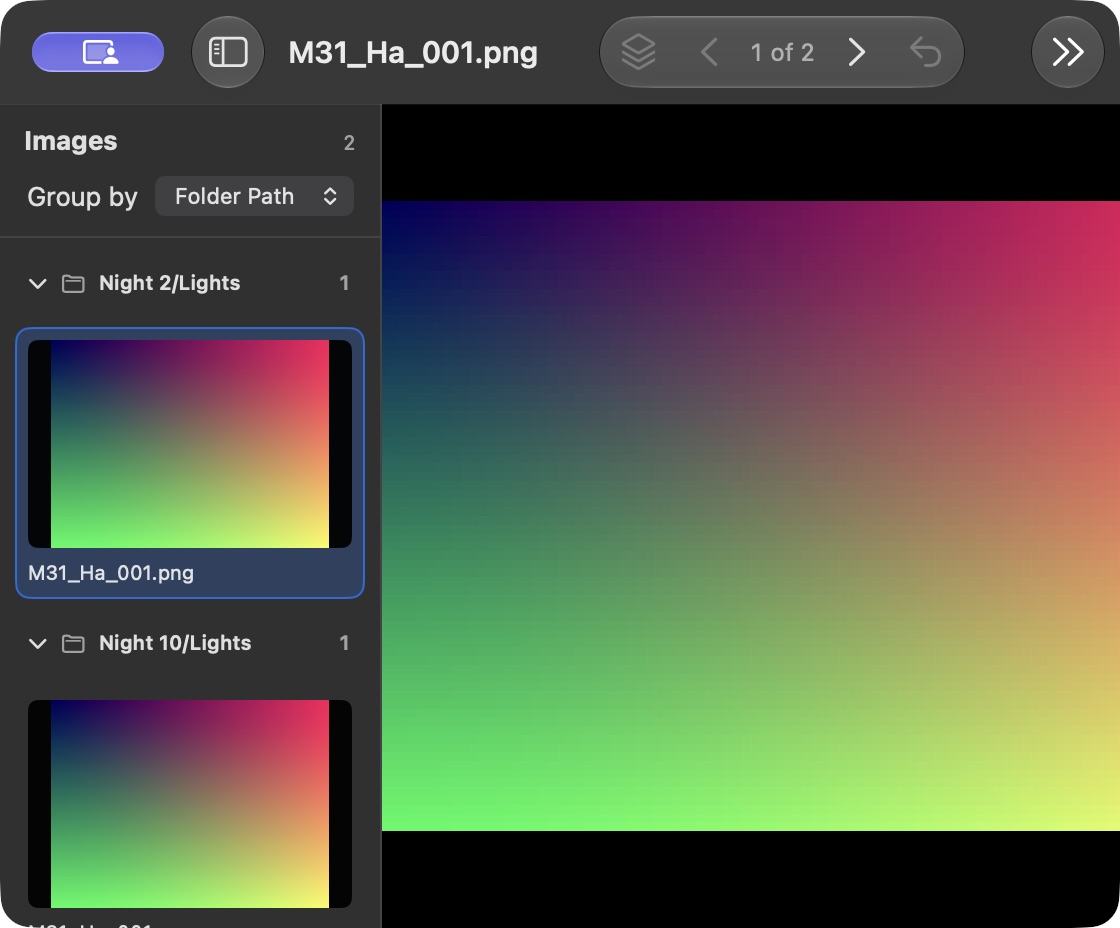
Mac 0.8.3 opens nested capture folders recursively. The sidebar can group images by folder path, file type or filename filter, with collapsible groups and parent paths to distinguish duplicate filenames. Regrouping keeps the current image and adjustments, and stacking includes frames throughout the opened tree, including collapsed groups.
Smaller fixes that matter to an image
Version 0.32 tries an image’s own astrometric headers with a false-match check, which helps processed FITS and XISF images reuse an existing solution (#275).
Version 0.36 fixes cross-hatched bands in faint stacked skies: Lanczos-3 interpolation now clamps at edges that stand above the frame’s noise. PNG, TIFF and JPEG exports are written to a temporary file and renamed into place, so an interrupted write does not leave a half-written destination (#294, #295).
There is also a new scientific regression corpus. It checks recovered sky positions against independently evaluated coordinates, rejects blank and unrelated fields, and checks calibrated stacks against known pixels and fluxes. Those numerical checks now run in CI (#296).
Get it
- Mac: the signed and notarized 0.8.3 DMG, for macOS 15 or later.
- Windows: the signed x64 0.8.4 MSI.
- Command line: the packages on the 0.36.0 release.
- Code and bindings: the Seiza repository includes the Rust libraries and guides for Python and the C API.
For a single image without installing anything, the web solver is still the quickest place to start.